A Projector Screen Is Not an Exciting Purchase, But It’s the One That Made Everything Else Better

Hardware Review · Purchased August 17, 2022 · $70.00 CAD via Amazon.ca
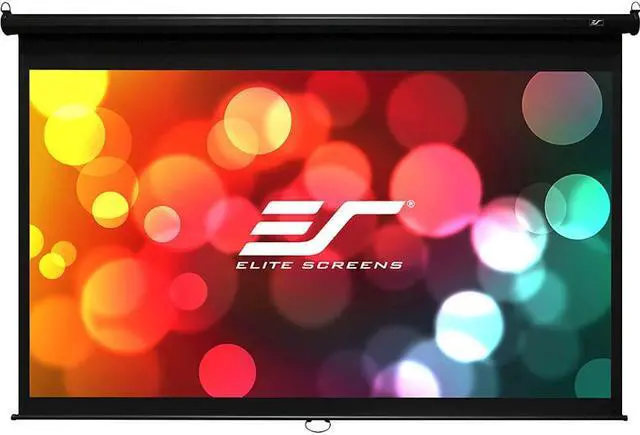
Manual pull-down projector screen
Manual pull-down projector screen. Photo: Newegg

The Setup

A straightforward manual pull-down home theater screen — wall or ceiling-mounted, spring-roller mechanism, flat white MaxWhite-style fabric with roughly 1.0 gain, pulled down and locked at whatever height you need, then retracted fully out of sight when you’re done.

The Review

This isn’t a flashy purchase, but it’s genuinely the thing that made every projector movie night noticeably better — a flat, wrinkle-free, purpose-built surface makes more difference to image quality than most people expect until they see it side by side with a wall. The pull-down mechanism is smooth and quiet, and it disappears completely into its housing when not in use, which matters if the room needs to do double duty as anything other than a theater.

The height-lock notches aren’t finely adjustable, so you’re picking from a handful of preset stopping points rather than dialing in an exact height, and the screen material had a few faint wrinkles when first unrolled that took a bit of time to fully settle out. Mounting it up near the ceiling by myself was also more of a wrestling match than I expected. None of that changes the fact that this is the unglamorous purchase that quietly improved the picture quality of everything else in the setup.

What I Liked

  • Flat, wrinkle-free surface makes a real, noticeable difference to picture quality
  • Smooth, quiet pull-down mechanism
  • Fully retracts and disappears when not in use
  • Large image size for an immersive home theater picture

What I Didn’t

  • Height-lock notches aren’t finely adjustable
  • Minor wrinkles when first unrolled took time to settle out
  • Awkward, one-person ceiling installation

The Verdict

Rating: 4/5

Unglamorous, but this quietly did more for movie night picture quality than most of the flashier purchases on this list.

Where to Buy

  • Search “manual pull down projector screen 120 inch” on Amazon.ca
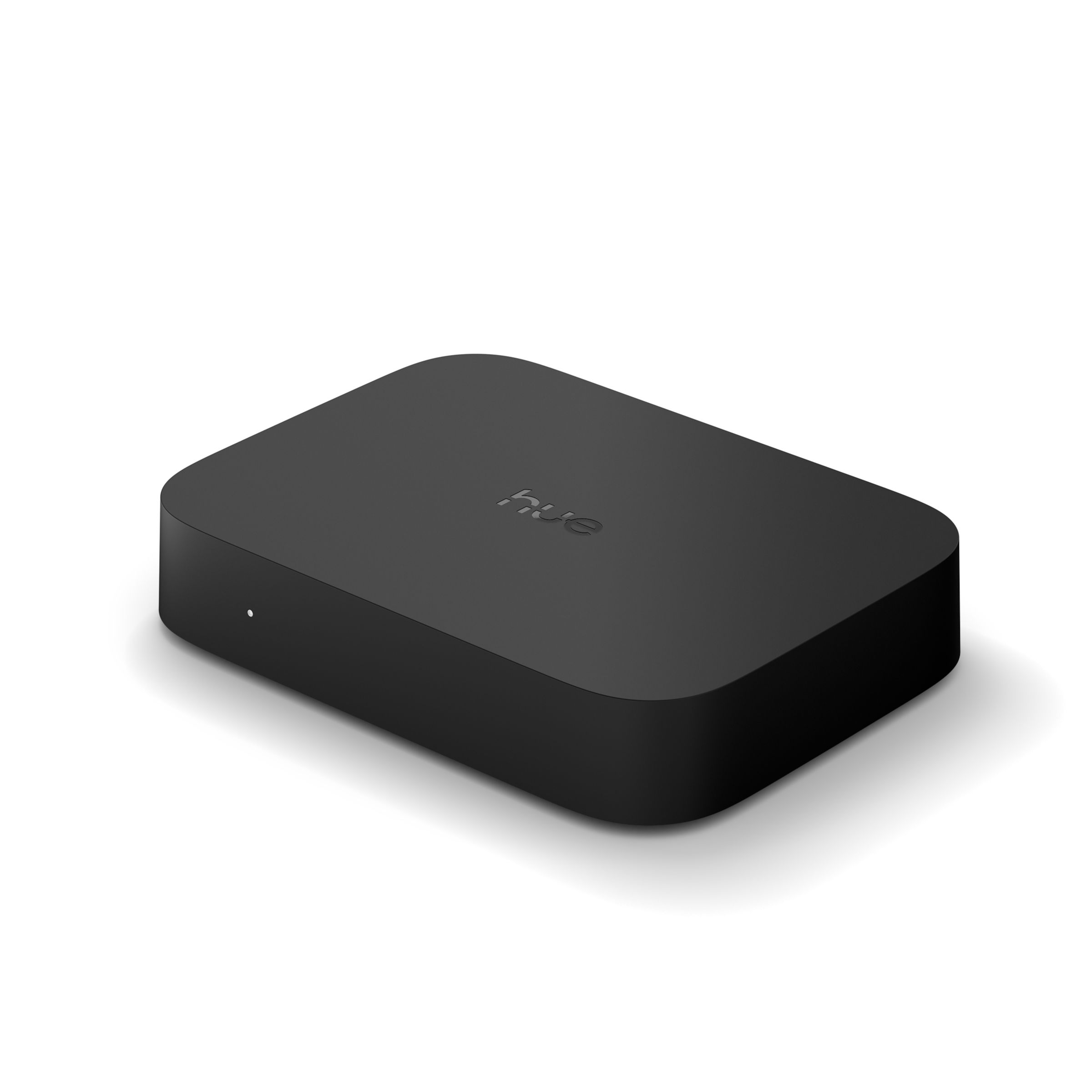
Philips Hue Play HDMI Sync Box: Turning My TV Into a Light Source

Hardware Review · Purchased August 9, 2022 · $302.07 CAD via Amazon.ca

Philips Hue Play HDMI Sync Box
Hue Play HDMI Sync Box. Photo: Signify

The Setup

A 4-input, 1-output HDMI passthrough box that analyzes video and audio in real time and syncs Philips Hue color lights to whatever’s on screen, across dedicated Video, Music, and Game sync modes. It needs a Hue Bridge and Hue color lights already in place to do anything — this is purely the brain that reads the content and tells your existing lights what to do.

The Review

The syncing itself is impressively accurate and responsive — explosions, scene changes, and color shifts on screen translate to the room lighting fast enough that it never feels laggy or disconnected from the action, which matters a lot for the Game mode specifically. It auto-switches inputs the moment a connected source powers on, so day-to-day use is genuinely hands-off once it’s set up.

The catch is the total cost of entry: this box alone is pricey, and it’s useless without a Hue Bridge and a set of Hue color bulbs you may not already own, which stacks up fast. It also only works with wired sources plugged into it directly — your smart TV’s built-in apps get no sync benefit at all — and it won’t pass through lossless audio formats like Dolby TrueHD. If you’re already invested in the Hue ecosystem, it’s a genuinely great addition; if you’re starting from zero, the real cost is much higher than the box’s price tag suggests.

What I Liked

  • Accurate, low-latency color syncing that works well even for gaming
  • Auto-switches inputs when a connected source powers on
  • Supports HDR10+/Dolby Vision passthrough
  • Genuinely enhances movie and game nights once set up

What I Didn’t

  • Expensive on top of needing a Hue Bridge and color bulbs already
  • No physical remote included
  • Doesn’t sync a smart TV’s built-in streaming apps, only wired sources
  • Doesn’t pass through lossless audio formats like Dolby TrueHD/DTS-HD MA

The Verdict

Rating: 4/5

Genuinely impressive syncing, but budget for the full Hue ecosystem before this box — it’s the smallest part of the total cost.

Where to Buy

Sony WF-1000XM4: Import-Priced Earbuds That Still Justify the Premium

Hardware Review · Purchased June 20, 2022 · $358.39 CAD via Amazon.ca

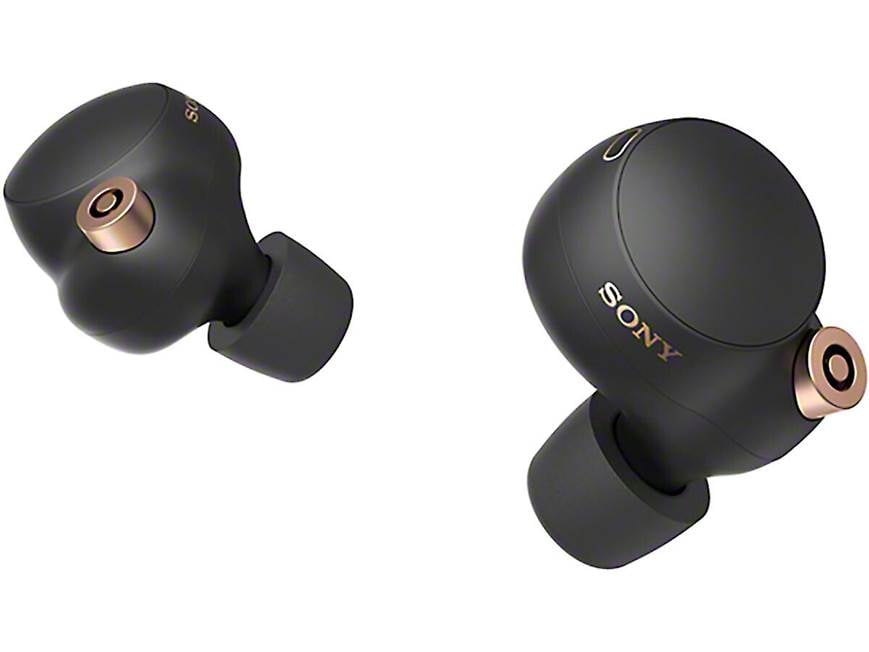
Sony WF-1000XM4 true wireless earbuds
Sony WF-1000XM4. Photo: Crutchfield

The Setup

Sony’s flagship true wireless earbuds, built around a 6mm driver and the Integrated Processor V1 chip for noise cancellation, with LDAC hi-res audio and 360 Reality Audio support. Mine is the “International Version” — a grey-market import SKU with the same hardware as the retail version, just without region-specific packaging or the standard local warranty path.

The Review

The noise cancellation is the headline feature and it lives up to the reputation — genuinely class-leading for a true wireless earbud, helped considerably by the memory-foam tips forming a much better passive seal than the silicone tips most competitors ship with. LDAC support is a nice bonus if you’ve got hi-res audio sources to feed it, and the Qi wireless charging case is smaller and more pocketable than the previous XM3 generation’s case.

The out-of-box tuning leans bass-forward enough that I ended up reaching for Sony’s EQ app to balance things out, and call quality in windy or noisy environments is a genuine weak point — the ANC that makes music so good works against the microphones during calls. Battery life is merely average for the class, which is a little disappointing given how good everything else about the ANC implementation is. Buying the international version saved some money over full retail pricing, with the only real downside being a murkier warranty situation if anything goes wrong.

What I Liked

  • Class-leading active noise cancellation
  • Memory-foam tips give a noticeably better passive seal than typical silicone tips
  • LDAC hi-res audio and 360 Reality Audio support
  • Compact Qi wireless charging case, smaller than the previous generation

What I Didn’t

  • Bass-forward tuning out of the box needed EQ adjustment
  • Weak microphone quality in windy or noisy environments during calls
  • Battery life is average for the class despite the excellent ANC
  • International version carries a murkier warranty path than retail units

The Verdict

Rating: 4/5

Still one of the best-sounding, best-ANC true wireless earbuds around — the import savings were worth the warranty trade-off.

Where to Buy

HUANUO Triple Monitor Stand: Reclaiming My Desk From Three Separate Bases

Hardware Review · Purchased June 16, 2022 · $187.25 CAD via Amazon.ca

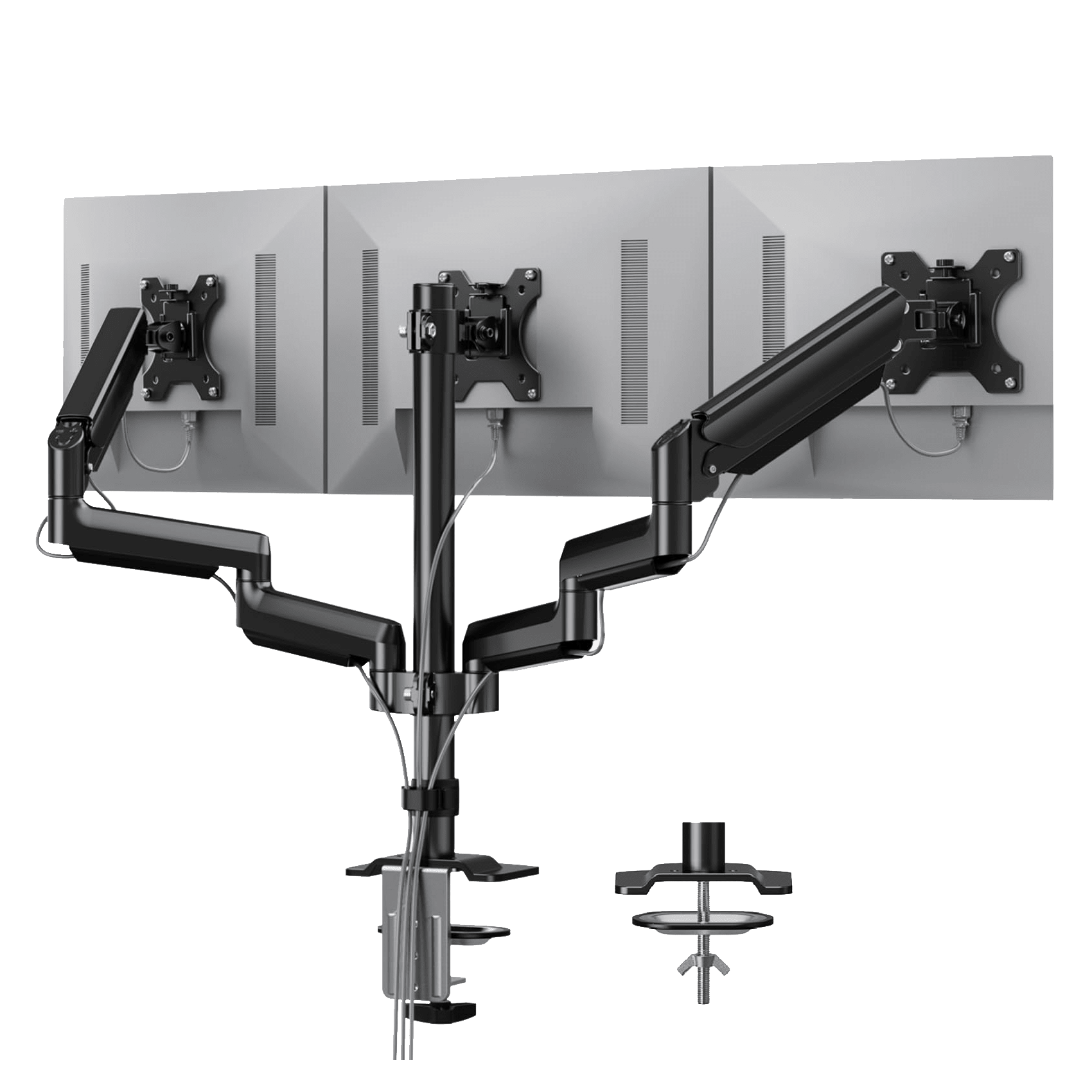
HUANUO triple monitor desk mount
HUANUO triple monitor mount. Photo: HUANUO

The Setup

HUANUO’s triple monitor mount is a desk-clamp arm system holding three 13″–27″ monitors via VESA 75×75/100×100 mounting, using gas-spring arms for tool-free height, tilt, swivel, and rotation adjustment. The pitch is simple: consolidate three separate monitor bases onto a single clamp and get the desk space back.

The Review

The gas-spring arms are the whole selling point and they deliver — one-finger height and angle adjustments with no tools involved, which makes it genuinely easy to reposition monitors on the fly rather than fighting with a stand. The aluminum build feels solid for what it costs, and the full range of tilt, swivel, and rotation covers pretty much any setup you’d want to configure.

Getting there took some patience, though. My lightest monitor needed a solid 10-15 minutes of spring-tension calibration before it stopped drifting downward on its own, and the single center-pole design has a bit of wobble on my desk, which isn’t the sturdiest surface to begin with. Once dialed in, it’s been reliable, and the desk space reclaimed from ditching three separate stands is a genuinely bigger improvement than I expected going in.

What I Liked

  • Tool-free, one-finger height and angle adjustment via gas-spring arms
  • Solid aluminum build quality for the price
  • Full tilt, swivel, and 360° rotation range
  • Frees up a meaningful amount of desk space versus three separate stands

What I Didn’t

  • Lighter monitors needed real spring-tension calibration time to stop drifting
  • Single center-pole design can wobble on less stable desks
  • Desk clamp installation took some trial and error to get level

The Verdict

Rating: 4/5

A little setup patience required, but a genuinely good value way to consolidate a three-monitor setup and get real desk space back.

Where to Buy

The Shark IQ Robot: Set-and-Forget Vacuuming With a Few Asterisks

Hardware Review · Purchased March 1, 2022 · $363.04 CAD via Amazon.ca

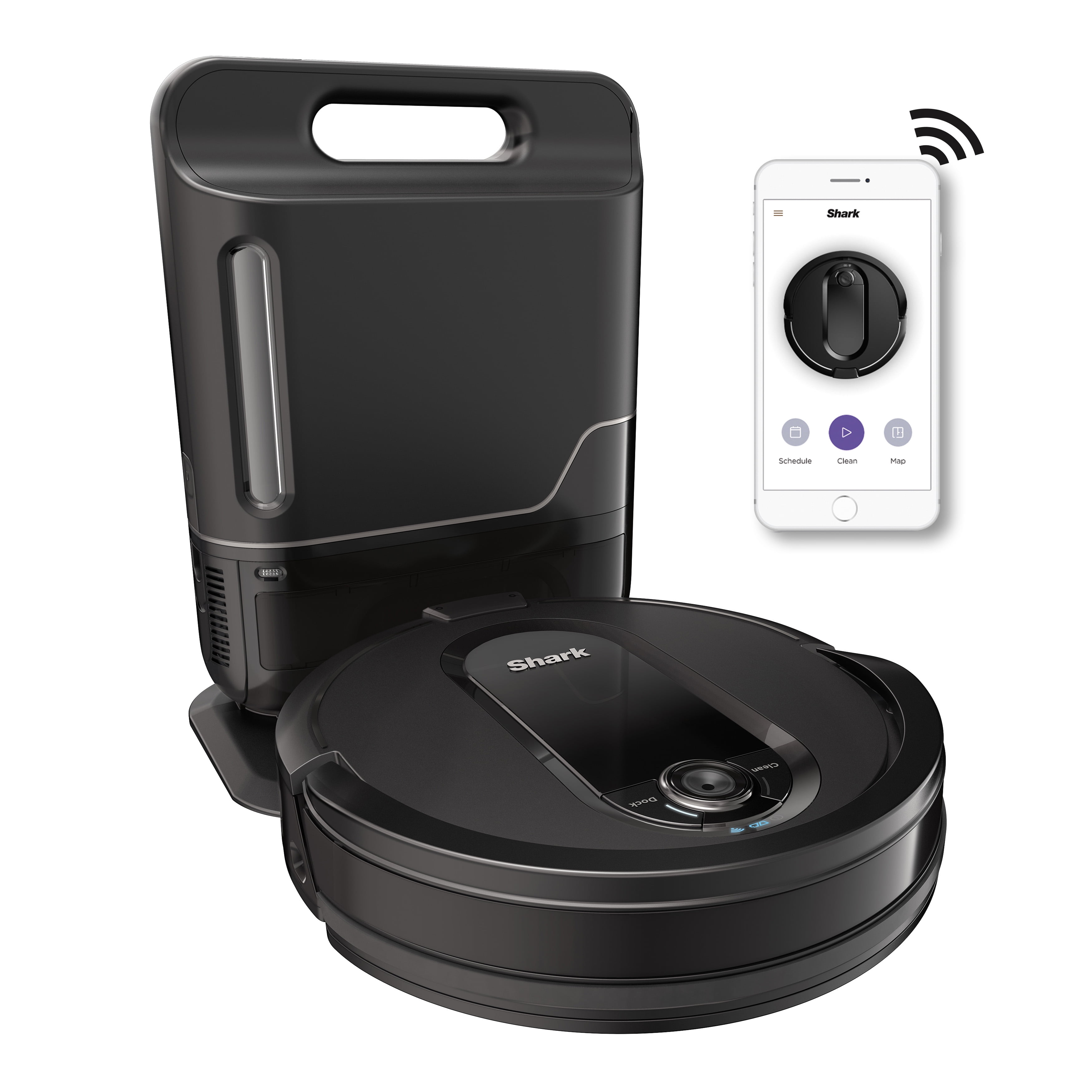
Shark IQ Robot vacuum with self-empty base
Shark IQ Robot RV1001AEC. Photo: Walmart

The Setup

The RV1001AEC is Shark’s answer to the self-emptying robot vacuum trend, pairing camera-based home mapping and app/Alexa control with a base station that holds roughly 30 cleaning cycles’ worth of debris before it needs to be manually emptied. It’s positioned as a budget-friendlier alternative to the self-emptying Roomba lineup.

The Review

The self-empty base genuinely delivers on the promise — going a month between manually dealing with the bin is a real quality-of-life upgrade over a standard robot vacuum, and Room Select in the app lets me point it at a specific room without babysitting the whole run. The self-cleaning brushroll also cuts down on the least fun part of robot vacuum ownership: untangling hair and debris from the brush by hand.

The compromises show up around the edges. It uses physical boundary strips instead of app-based no-go zones, which is a step behind competitors at this price, and it occasionally drops debris on its way back to the dock rather than depositing everything cleanly. Larger debris can also clog the bin opening and stop the auto-empty from completing properly. None of it is a dealbreaker, but it’s clearly a budget-tier take on the self-emptying concept rather than a class leader.

What I Liked

  • Self-empty base genuinely stretches a month between manual bin dumps
  • Room Select lets you target specific rooms from the app
  • Self-cleaning brushroll cuts down on hands-on maintenance
  • Meaningfully cheaper than rival self-emptying robots like the Roomba i7+

What I Didn’t

  • Relies on physical boundary strips instead of digital no-go zones
  • Occasionally drops debris on the way back to the dock
  • Larger debris can clog the bin and interrupt auto-emptying
  • Cleaning performance is noticeably weaker on low-pile carpet

The Verdict

Rating: 3.5/5

A solid, budget-conscious entry into self-emptying robot vacuums — not a class leader, but a real step up from a standard robot vacuum for the price.

Where to Buy

The Forza Horizon 5 Limited Edition Xbox Controller, a Colorful Companion to a New Console

Hardware | Bought November 20, 2021 | $80 CAD from Eb Games

Forza Horizon 5 Limited Edition Xbox Wireless Controller
Photo credit: Xbox.com

Why I Bought It

Five days after finally getting my hands on a Series X, I was back at Eb Games for the Forza Horizon 5 Limited Edition controller. Forza’s vibrant Mexico-inspired art direction translated into one of the more eye-catching controllers Xbox has put out, and after a year of console scarcity I was in the mood to just enjoy having current-gen hardware to shop for.

Living With It

The controller feels identical to a standard Xbox Wireless Controller in the hand — no surprises there, which is exactly what you want from a limited-edition skin. The gradient paint job is genuinely one of the nicer Xbox designs I’ve seen, shifting between warm oranges and blues depending on the light. It’s purely cosmetic, but paired with the Halo Infinite console it makes for a nice contrast on the shelf.

The Good

  • Vibrant, unique gradient design unlike any standard Xbox controller
  • Same comfortable, reliable feel as the base Xbox Wireless Controller
  • Good contrast piece next to other console/controller combos on display

The Bad

  • Purely cosmetic — no functional upgrades over the standard controller
  • Limited-edition pricing premium for what’s essentially a paint job

Final Call

Rating: 4/5. A great-looking controller if the design speaks to you, but don’t expect anything beyond the base experience.

Grab One Here

The Xbox Series X Halo Infinite Limited Edition, a Launch-Day Console I Actually Got on Launch Day

Hardware | Bought November 15, 2021 | $725 CAD from Eb Games

Xbox Series X Halo Infinite Limited Edition console
Photo credit: Xbox.com

Why I Bought It

After a full year of scalpers and restock chaos, I finally managed to walk into an Eb Games on Halo Infinite’s actual launch day and walk out with the Limited Edition Series X bundle. The console’s etched design and the matching controller were reason enough on their own, but pairing it with Halo’s long-awaited campaign launch made this the easiest console purchase I’ve made in years.

Living With It

The etched blue-and-gold finish looks fantastic in person and photographs even better than the press shots suggested. Performance-wise it’s the same excellent Series X under the hood — fast load times, quiet operation, no complaints there. The real story is finally having a current-gen Xbox after a year of scalped listings, and Halo Infinite running on it made the whole wait feel worth it.

The Good

  • Striking etched Halo-themed finish that stands out from the standard console
  • Same excellent Series X performance underneath the cosmetics
  • Matching controller is a great bonus for the bundle price

The Bad

  • A steep premium over the standard Series X for what’s mostly a cosmetic bundle
  • Took over a year of trying to actually find one at retail price

Final Call

Rating: 4.5/5. Worth the wait for the design alone, and a perfect excuse to finally jump to current-gen.

Grab One Here

PowerA’s Blood Moon Zelda Controller, the Closest Thing to an Official Zelda Pad

Hardware | Bought August 17, 2021 | $50 CAD from Walmart

PowerA Blood Moon Zelda Enhanced Wireless Controller for Nintendo Switch
Photo credit: Amazon listing photo

Why I Bought It

Nintendo has never actually made an official Zelda Pro Controller, which surprised me when I went looking for one. PowerA’s licensed “Blood Moon” Zelda Enhanced Wireless Controller is about as close as it gets — officially licensed, Breath of the Wild themed, and a fraction of the price of a real Pro Controller. I grabbed one at Walmart to go with my Switch setup.

Living With It

The Blood Moon art print on the front is genuinely striking, and the controller itself is comfortable for long sessions despite being a third-party product. It lacks the Pro Controller’s HD rumble and amiibo reader, and it’s wired rather than wireless despite the name on the box implying otherwise for some SKUs, but as a display piece and a backup controller it more than earns its spot.

The Good

  • Striking Blood Moon Breath of the Wild artwork
  • Comfortable grip for a budget third-party controller
  • Officially licensed, so it doesn’t feel like a knockoff

The Bad

  • No HD rumble or amiibo reader like the real Pro Controller
  • Still no actual official Nintendo Zelda controller exists, which is a shame

Final Call

Rating: 3.5/5. A solid stand-in for a controller Nintendo should have made themselves by now.

Grab One Here

The PS5 DualSense in Midnight Black, a Small Upgrade That Makes a Big Difference

Hardware | Bought June 12, 2021 | $110 CAD from Walmart

PS5 DualSense controller in Midnight Black
Photo credit: PlayStation.com

Why I Bought It

My launch-day white DualSense was starting to look a little grimy no matter how much I cleaned it, and Walmart had the Midnight Black version in stock, which felt like reason enough. I’d been eyeing a second controller anyway for couch co-op, so instead of grabbing another white one I picked up the black to mix things up and give the white one a break from being the only option.

Living With It

It’s the same excellent DualSense underneath the paint job — adaptive triggers and haptic feedback still feel like a genuine step up from the DualShock 4 — but the black finish hides fingerprints and grime dramatically better than the white one ever did. It also just looks sharper sitting next to a black PS5 stand. Nothing about the actual feel or function changed, which is exactly what I wanted.

The Good

  • Adaptive triggers and haptics are still the best controller feature this generation
  • Midnight Black hides fingerprints and wear far better than white
  • Great as a second controller for local co-op

The Bad

  • Battery life is still mediocre compared to the DualShock 4
  • No functional difference from the white version, so it’s a style purchase and nothing more

Final Call

Rating: 4/5. Same great controller, better at hiding grime. Worth it if you want a second one anyway.

Grab One Here