LG’s 34″ UltraWide: One Cable to Rule the Whole Desk

Hardware Review · Purchased December 14, 2022 · $769.68 CAD via Amazon.ca

LG 34WQ75C-B UltraWide curved monitor
LG 34WQ75C-B UltraWide. Photo: LG

The Setup

LG’s 34WQ75C-B, a 34″ curved 21:9 IPS panel at 3440×1440 QHD resolution, 60Hz, HDR10, with a 96W USB-C port that handles video, data, and laptop charging over a single cable, plus a built-in KVM switch.

The Review

The single-cable USB-C setup is the feature that sold me, and it delivers exactly as promised — one cable handling video, data, and 96W of charging means my laptop docks and undocks from this monitor in seconds with none of the usual cable juggling. The ultrawide format itself is genuinely useful for side-by-side multitasking in a way that’s easy to underestimate until you’ve actually used one, and the stand’s full range of height, tilt, and swivel adjustment plus VESA mounting covers pretty much any desk setup.

At around 110 PPI, the pixel density is noticeably softer than a 4K display at a similar size, and the panel caps out at 60Hz with no variable refresh rate, so this is squarely a productivity monitor rather than anything built for gaming. 300 nits typical brightness also struggles a bit in a brighter room. For the specific job of getting more usable desktop space with one clean cable to a laptop, though, it’s a genuinely strong, accessible option.

What I Liked

  • 96W USB-C powers most laptops through a single cable
  • Ergonomic stand with full height, tilt, and swivel adjustment plus VESA mounting
  • Ultrawide format is genuinely useful for multitasking at an accessible price
  • Built-in KVM switch is a nice bonus for a multi-device desk

What I Didn’t

  • ~110 PPI is noticeably softer than a comparable 4K display
  • Capped at 60Hz with no variable refresh rate — not built for gaming
  • 300 nits typical brightness struggles in bright rooms

The Verdict

Rating: 4/5

An easy pick for anyone wanting genuine multitasking real estate with a single cable to a laptop — just not a gaming monitor.

Where to Buy

GeForce RTX 3090: Finally Winning the Scalper Lottery

Hardware Review · Purchased September 30, 2022 · $1,752.18 CAD via Amazon.ca

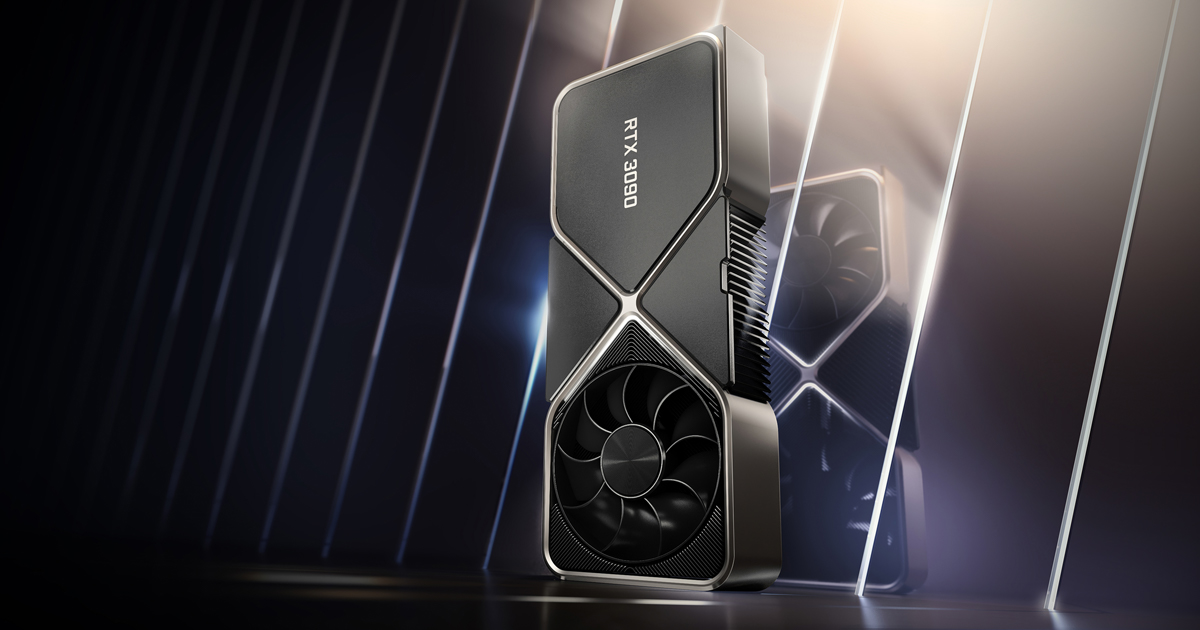
Nvidia GeForce RTX 3090 graphics card
GeForce RTX 3090. Photo: Nvidia

The Setup

Nvidia’s Ampere-generation flagship, launched all the way back in September 2020 with 10,496 CUDA cores, 24GB of GDDR6X VRAM, and a 350W TGP. Buying one in September 2022 means buying it two years late and at the tail end of the worst GPU shortage in recent memory — crypto miners and scalpers kept 30-series pricing well above MSRP for most of its life, and it took the Ethereum mining crash earlier this year to finally bring prices down to something resembling sane.

The Review

Even two years on, this is still an enormous amount of GPU. The 24GB of VRAM is honestly overkill for most gaming, but it means genuinely comfortable headroom for 4K and even 8K with DLSS, plus real utility for anything creative or productivity-related that actually uses that pool. At 4K it demolishes basically everything I’ve thrown at it, and the cooler manages to keep noise reasonable given the performance tier it’s competing in.

None of that changes the fact that this is a genuinely poor value proposition if you’re gaming at 1080p or 1440p — the gap over the cheaper RTX 3080 barely shows up at those resolutions. The 350W power draw meant a PSU upgrade was non-negotiable, and the dual/triple-slot cooler is a hard no for any small-form-factor build. Buying it two years after launch, well past the shortage’s worst point, is really the only way this purchase makes financial sense at all.

What I Liked

  • Still the fastest consumer GPU available to me at 4K and beyond
  • 24GB VRAM gives genuinely comfortable headroom for demanding workloads
  • Cooling keeps noise reasonable for the performance tier
  • Bought well after the worst of the shortage-era pricing finally cooled off

What I Didn’t

  • Poor value at 1080p/1440p — only really makes sense at 4K and up
  • 350W power draw forced a PSU upgrade
  • Massive cooler rules out small-form-factor builds entirely
  • Two years late to the party by the time I actually got one

The Verdict

Rating: 4/5

Genuinely excellent at 4K, and only worth it now that the shortage-era pricing has finally settled down.

Where to Buy

Philips Hue Lightstrip: The Small Purchase That Finally Justified the Sync Box

Hardware Review · Purchased August 22, 2022 · $470.00 CAD via Amazon.ca

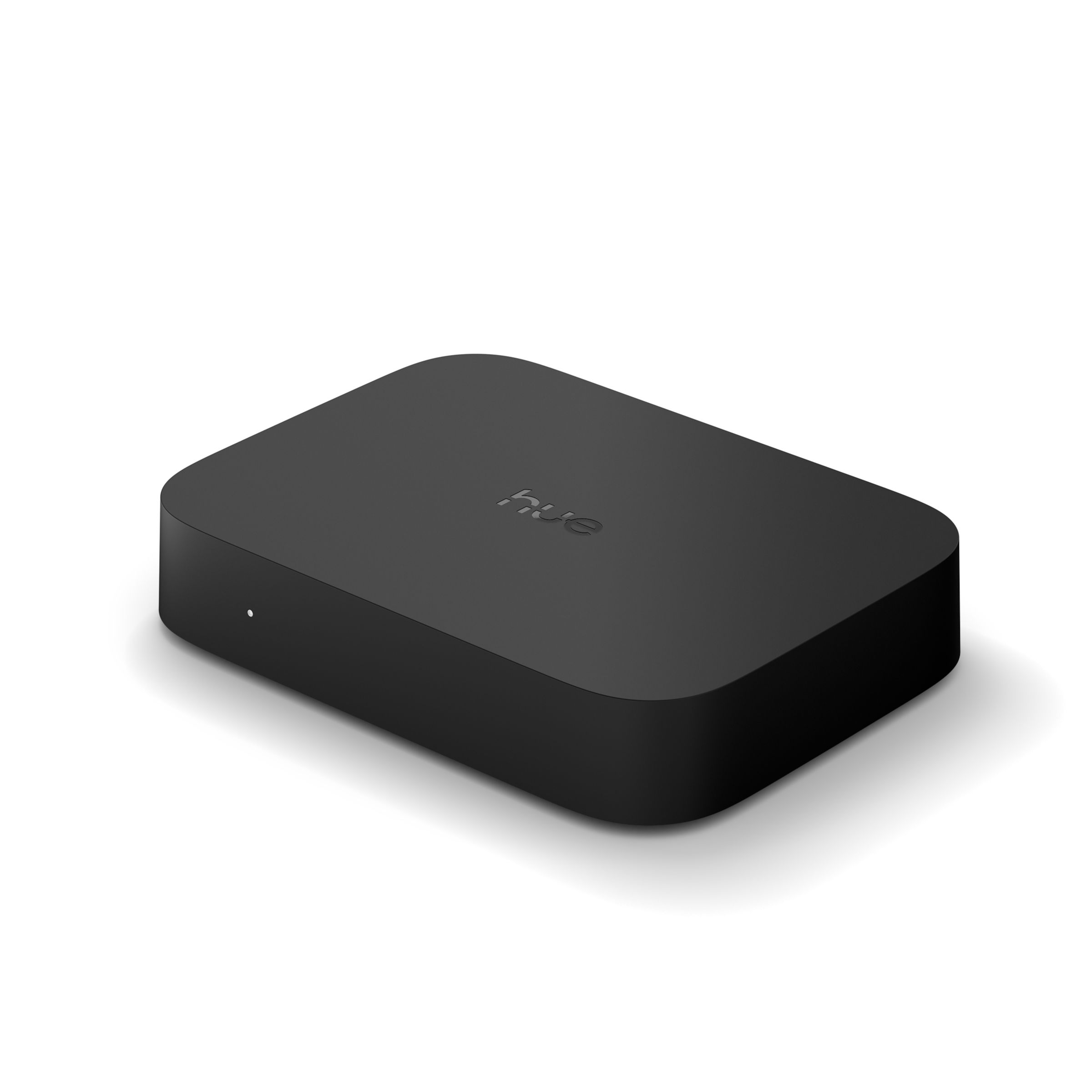
Philips Hue White and Color Ambiance Lightstrip
Hue White and Color Ambiance Lightstrip. Photo: Signify

The Setup

A flexible, cuttable, extendable-to-10m LED strip delivering up to 1,700 lumens and 16 million colors with tunable white from 2000-6500K, running standalone over Bluetooth or through a Hue Bridge for full smart-home integration. Bought specifically to actually put the Sync Box from a couple weeks earlier to real use.

The Review

This is the piece that made the whole Hue ecosystem investment click into place. Run behind the TV and synced through the Sync Box, the color and brightness range genuinely elevates movie and game nights in a way that’s hard to go back from once you’ve seen it. The strip itself is easy to cut and extend to fit the exact space behind the TV, and having it work over Bluetooth alone (no Bridge required) makes it approachable even before you commit to the wider smart-home setup.

The full sync effects and multi-room automation do need the Bridge to unlock properly, which is an additional cost on top of an already-expensive strip, and the adhesive backing is showing some early signs of losing grip in a warmer spot behind the TV. It’s IP20-rated, so indoor-only use is a hard requirement, not a suggestion. Between this, the Sync Box, and the earlier Bridge purchase, the total cost of “a light strip” ended up being a lot more than the strip itself — but the end result, finally fully assembled, is genuinely great.

What I Liked

  • Full 16-million-color range plus tunable white
  • Works standalone over Bluetooth, no Bridge strictly required to start
  • Cuttable and extendable to fit an exact space
  • Finally gives the Sync Box something worth syncing

What I Didn’t

  • Full sync effects and automation still require the Bridge as an added cost
  • Adhesive backing shows early signs of weakening in a warm spot
  • Indoor-only (IP20) with no flexibility on that

The Verdict

Rating: 4.5/5

The piece that finally made the whole Hue ecosystem purchase worth it — expensive as a system, but genuinely great as a finished setup.

Where to Buy

A Projector Screen Is Not an Exciting Purchase, But It’s the One That Made Everything Else Better

Hardware Review · Purchased August 17, 2022 · $70.00 CAD via Amazon.ca

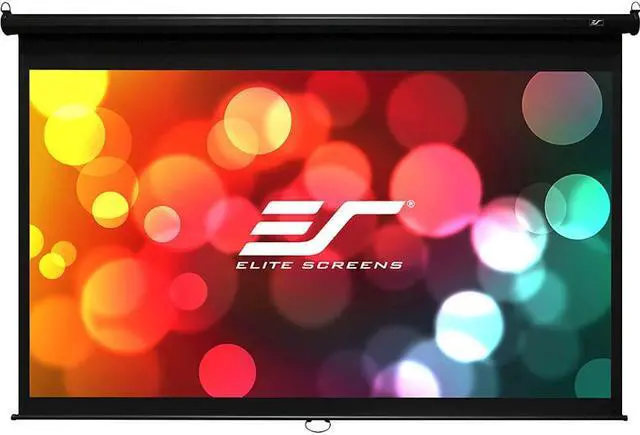
Manual pull-down projector screen
Manual pull-down projector screen. Photo: Newegg

The Setup

A straightforward manual pull-down home theater screen — wall or ceiling-mounted, spring-roller mechanism, flat white MaxWhite-style fabric with roughly 1.0 gain, pulled down and locked at whatever height you need, then retracted fully out of sight when you’re done.

The Review

This isn’t a flashy purchase, but it’s genuinely the thing that made every projector movie night noticeably better — a flat, wrinkle-free, purpose-built surface makes more difference to image quality than most people expect until they see it side by side with a wall. The pull-down mechanism is smooth and quiet, and it disappears completely into its housing when not in use, which matters if the room needs to do double duty as anything other than a theater.

The height-lock notches aren’t finely adjustable, so you’re picking from a handful of preset stopping points rather than dialing in an exact height, and the screen material had a few faint wrinkles when first unrolled that took a bit of time to fully settle out. Mounting it up near the ceiling by myself was also more of a wrestling match than I expected. None of that changes the fact that this is the unglamorous purchase that quietly improved the picture quality of everything else in the setup.

What I Liked

  • Flat, wrinkle-free surface makes a real, noticeable difference to picture quality
  • Smooth, quiet pull-down mechanism
  • Fully retracts and disappears when not in use
  • Large image size for an immersive home theater picture

What I Didn’t

  • Height-lock notches aren’t finely adjustable
  • Minor wrinkles when first unrolled took time to settle out
  • Awkward, one-person ceiling installation

The Verdict

Rating: 4/5

Unglamorous, but this quietly did more for movie night picture quality than most of the flashier purchases on this list.

Where to Buy

  • Search “manual pull down projector screen 120 inch” on Amazon.ca

Philips Hue Play HDMI Sync Box: Turning My TV Into a Light Source

Hardware Review · Purchased August 9, 2022 · $302.07 CAD via Amazon.ca

Philips Hue Play HDMI Sync Box
Hue Play HDMI Sync Box. Photo: Signify

The Setup

A 4-input, 1-output HDMI passthrough box that analyzes video and audio in real time and syncs Philips Hue color lights to whatever’s on screen, across dedicated Video, Music, and Game sync modes. It needs a Hue Bridge and Hue color lights already in place to do anything — this is purely the brain that reads the content and tells your existing lights what to do.

The Review

The syncing itself is impressively accurate and responsive — explosions, scene changes, and color shifts on screen translate to the room lighting fast enough that it never feels laggy or disconnected from the action, which matters a lot for the Game mode specifically. It auto-switches inputs the moment a connected source powers on, so day-to-day use is genuinely hands-off once it’s set up.

The catch is the total cost of entry: this box alone is pricey, and it’s useless without a Hue Bridge and a set of Hue color bulbs you may not already own, which stacks up fast. It also only works with wired sources plugged into it directly — your smart TV’s built-in apps get no sync benefit at all — and it won’t pass through lossless audio formats like Dolby TrueHD. If you’re already invested in the Hue ecosystem, it’s a genuinely great addition; if you’re starting from zero, the real cost is much higher than the box’s price tag suggests.

What I Liked

  • Accurate, low-latency color syncing that works well even for gaming
  • Auto-switches inputs when a connected source powers on
  • Supports HDR10+/Dolby Vision passthrough
  • Genuinely enhances movie and game nights once set up

What I Didn’t

  • Expensive on top of needing a Hue Bridge and color bulbs already
  • No physical remote included
  • Doesn’t sync a smart TV’s built-in streaming apps, only wired sources
  • Doesn’t pass through lossless audio formats like Dolby TrueHD/DTS-HD MA

The Verdict

Rating: 4/5

Genuinely impressive syncing, but budget for the full Hue ecosystem before this box — it’s the smallest part of the total cost.

Where to Buy

HUANUO Triple Monitor Stand: Reclaiming My Desk From Three Separate Bases

Hardware Review · Purchased June 16, 2022 · $187.25 CAD via Amazon.ca

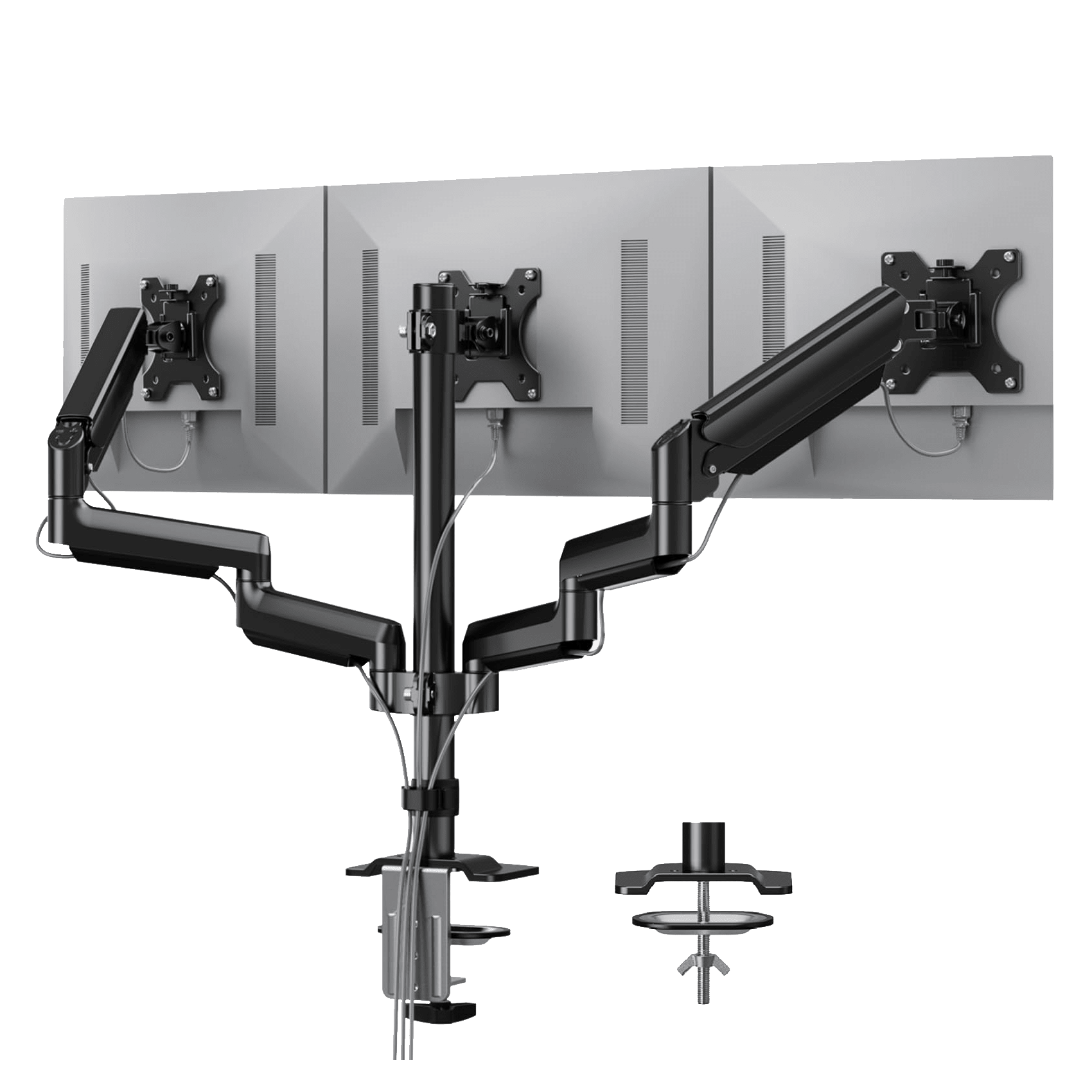
HUANUO triple monitor desk mount
HUANUO triple monitor mount. Photo: HUANUO

The Setup

HUANUO’s triple monitor mount is a desk-clamp arm system holding three 13″–27″ monitors via VESA 75×75/100×100 mounting, using gas-spring arms for tool-free height, tilt, swivel, and rotation adjustment. The pitch is simple: consolidate three separate monitor bases onto a single clamp and get the desk space back.

The Review

The gas-spring arms are the whole selling point and they deliver — one-finger height and angle adjustments with no tools involved, which makes it genuinely easy to reposition monitors on the fly rather than fighting with a stand. The aluminum build feels solid for what it costs, and the full range of tilt, swivel, and rotation covers pretty much any setup you’d want to configure.

Getting there took some patience, though. My lightest monitor needed a solid 10-15 minutes of spring-tension calibration before it stopped drifting downward on its own, and the single center-pole design has a bit of wobble on my desk, which isn’t the sturdiest surface to begin with. Once dialed in, it’s been reliable, and the desk space reclaimed from ditching three separate stands is a genuinely bigger improvement than I expected going in.

What I Liked

  • Tool-free, one-finger height and angle adjustment via gas-spring arms
  • Solid aluminum build quality for the price
  • Full tilt, swivel, and 360° rotation range
  • Frees up a meaningful amount of desk space versus three separate stands

What I Didn’t

  • Lighter monitors needed real spring-tension calibration time to stop drifting
  • Single center-pole design can wobble on less stable desks
  • Desk clamp installation took some trial and error to get level

The Verdict

Rating: 4/5

A little setup patience required, but a genuinely good value way to consolidate a three-monitor setup and get real desk space back.

Where to Buy

The Shark IQ Robot: Set-and-Forget Vacuuming With a Few Asterisks

Hardware Review · Purchased March 1, 2022 · $363.04 CAD via Amazon.ca

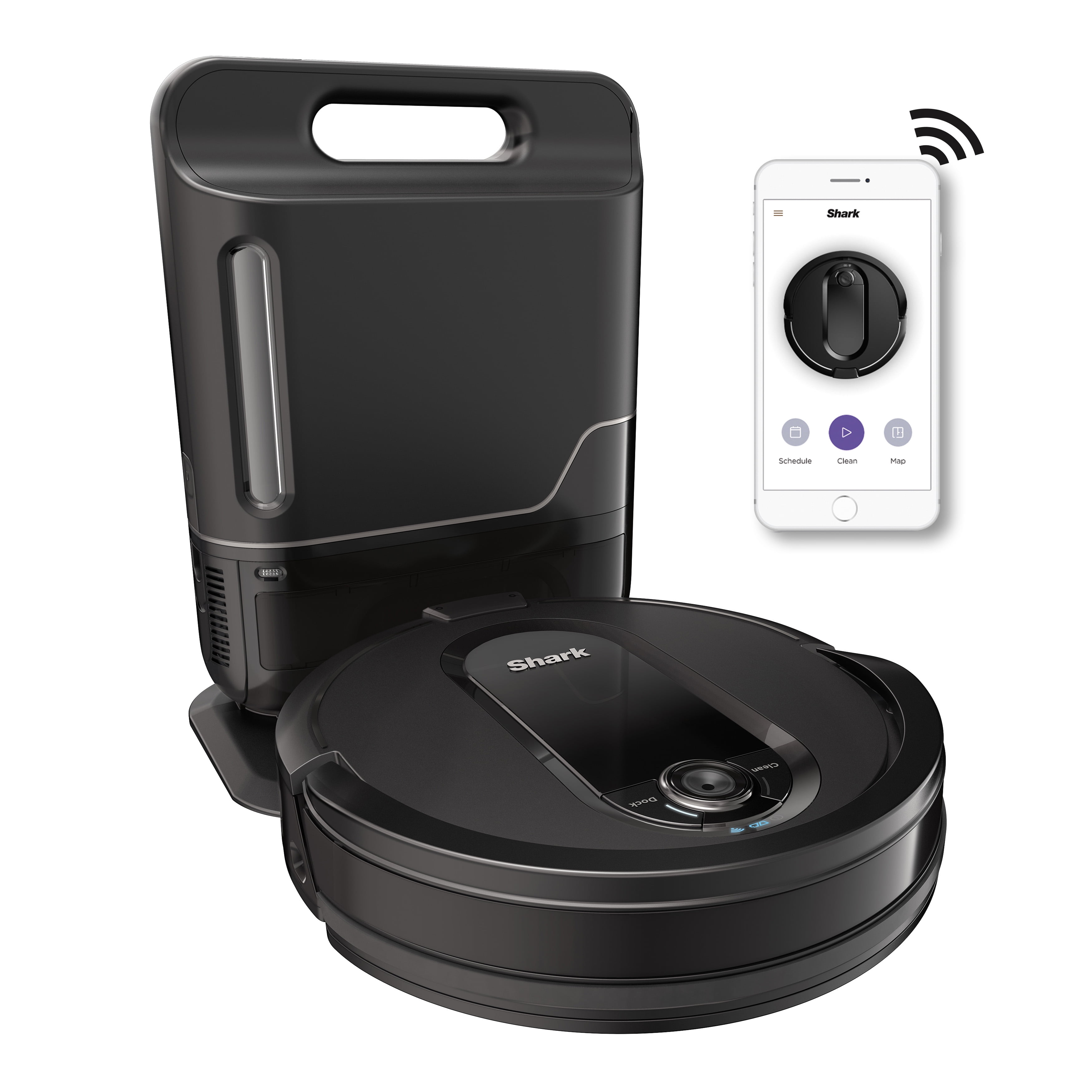
Shark IQ Robot vacuum with self-empty base
Shark IQ Robot RV1001AEC. Photo: Walmart

The Setup

The RV1001AEC is Shark’s answer to the self-emptying robot vacuum trend, pairing camera-based home mapping and app/Alexa control with a base station that holds roughly 30 cleaning cycles’ worth of debris before it needs to be manually emptied. It’s positioned as a budget-friendlier alternative to the self-emptying Roomba lineup.

The Review

The self-empty base genuinely delivers on the promise — going a month between manually dealing with the bin is a real quality-of-life upgrade over a standard robot vacuum, and Room Select in the app lets me point it at a specific room without babysitting the whole run. The self-cleaning brushroll also cuts down on the least fun part of robot vacuum ownership: untangling hair and debris from the brush by hand.

The compromises show up around the edges. It uses physical boundary strips instead of app-based no-go zones, which is a step behind competitors at this price, and it occasionally drops debris on its way back to the dock rather than depositing everything cleanly. Larger debris can also clog the bin opening and stop the auto-empty from completing properly. None of it is a dealbreaker, but it’s clearly a budget-tier take on the self-emptying concept rather than a class leader.

What I Liked

  • Self-empty base genuinely stretches a month between manual bin dumps
  • Room Select lets you target specific rooms from the app
  • Self-cleaning brushroll cuts down on hands-on maintenance
  • Meaningfully cheaper than rival self-emptying robots like the Roomba i7+

What I Didn’t

  • Relies on physical boundary strips instead of digital no-go zones
  • Occasionally drops debris on the way back to the dock
  • Larger debris can clog the bin and interrupt auto-emptying
  • Cleaning performance is noticeably weaker on low-pile carpet

The Verdict

Rating: 3.5/5

A solid, budget-conscious entry into self-emptying robot vacuums — not a class leader, but a real step up from a standard robot vacuum for the price.

Where to Buy