Awesome Asteroids: A Budget PSVR2 Launch Title That’s Exactly What It Says on the Box

Games · Purchased February 25, 2023 · $8.79 via PSN

Awesome Asteroids
Photo: PlayStation Store

The Setup

A budget-priced arcade shoot-’em-up that reimagines classic Asteroids in full 3D VR — blast waves of asteroids and enemy ships with lasers, rockets, and a gatling gun while defending your bases, grabbing shield power-ups along the way.

The Review

This one’s exactly what the $8.79 price tag suggests — simple, pick-up-and-play arcade fun with a decent sense of scale for a budget title, and a nice nostalgic hook if you grew up on the original Asteroids. It’s shallow and repetitive if you sit with it too long, and the presentation is noticeably dated next to the bigger PSVR2 launch titles, but for the price it’s a fine way to kill twenty minutes.

What I Liked

  • Simple, pick-up-and-play arcade fun
  • Decent sense of scale/immersion for the price
  • Nostalgic hook for Asteroids fans

What I Didn’t

  • Shallow, repetitive gameplay loop
  • Dated presentation next to other PSVR2 launch titles
  • Very light on content/modes

The Verdict

Rating: 3/5

Where to Buy

Sony’s PSVR2: A Genuinely Great Headset Tethered to a Genuinely Annoying Cable

Hardware · Purchased February 22, 2023 · $918.27 via EbGames

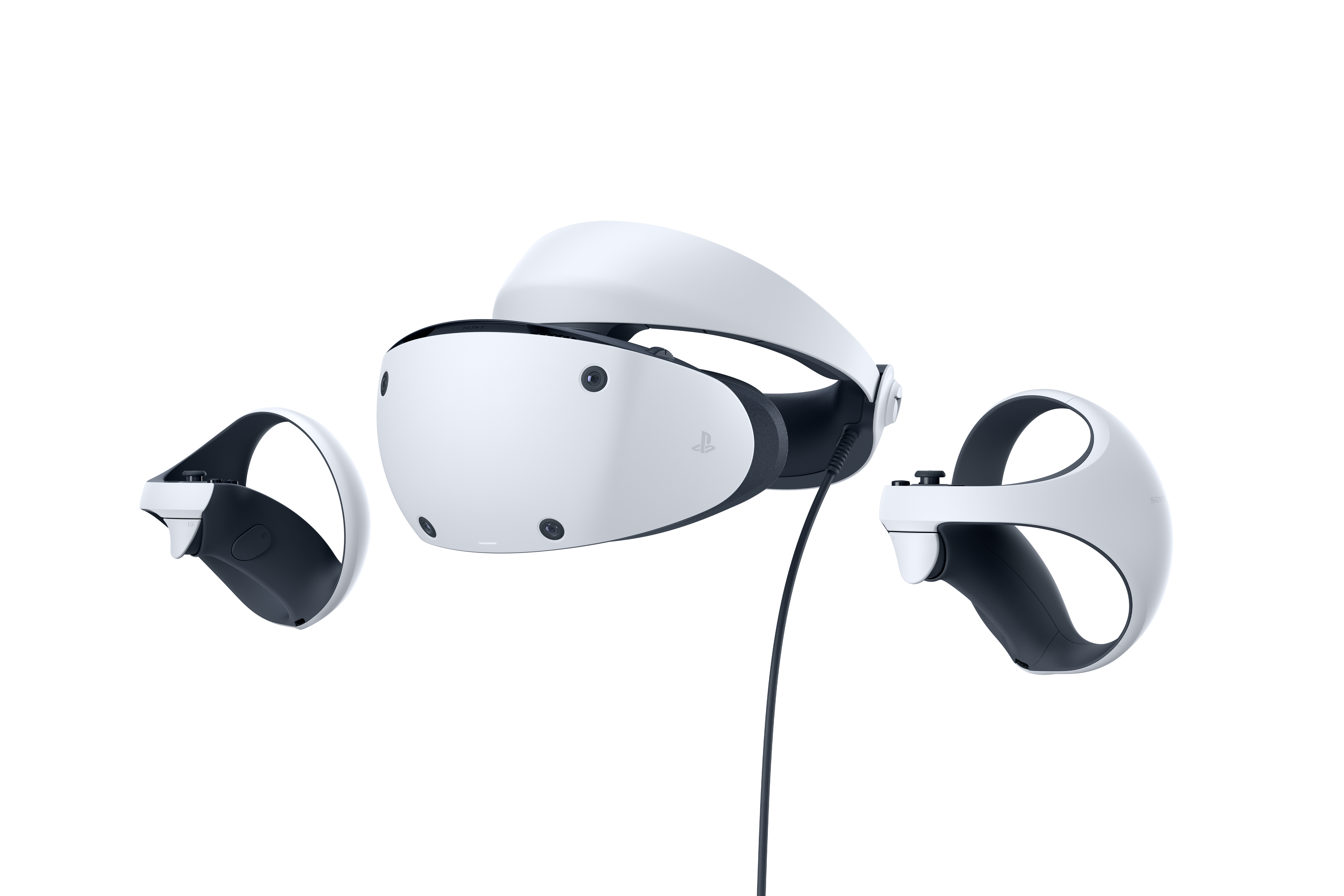
Sony PlayStation VR2
Photo: GameStop

The Setup

Launch day. I lined up a PSVR2 the moment EbGames opened on February 22nd, and immediately followed it with a small pile of launch titles (more on those in separate posts). The headset has dual OLED panels, eye tracking, inside-out tracking with no external cameras needed, and the Sense controllers with adaptive triggers and haptics.

The Review

The display is sharp enough that I stopped noticing the screen-door effect within an hour, and the eye tracking genuinely changes how some games render and play. The Sense controllers with their adaptive triggers are the best VR controllers I’ve used. The single tether cable, though, is a constant low-grade annoyance — there’s no wireless option, and I’ve caught it on my chair more than once mid-session.

What I Liked

  • Sharp OLED panels with strong HDR
  • No external tracking cameras to set up
  • Eye tracking enables genuinely novel gameplay
  • Sense controllers feel excellent

What I Didn’t

  • Wired only — no wireless option
  • Can feel front-heavy on long sessions
  • Smaller launch library than I’d like

The Verdict

Rating: 4/5

Where to Buy

An Xbox Rechargeable Battery Pack, Finally Ditching AAs

Hardware · Purchased January 20, 2023 · $32.47 via Amazon

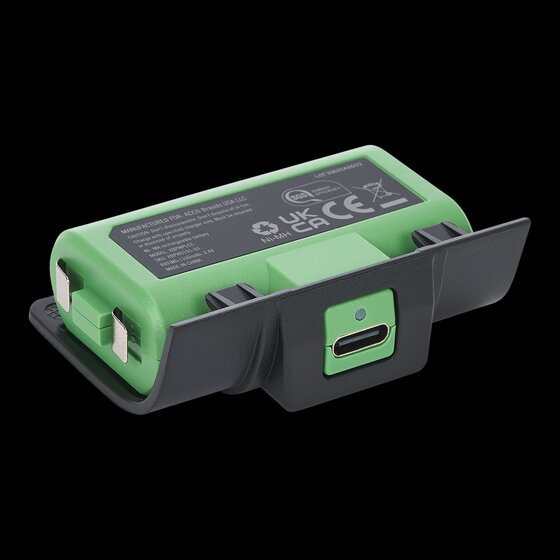
PowerA Rechargeable Battery Pack for Xbox
Photo: PowerA

The Setup

An officially licensed rechargeable battery solution that replaces AA batteries in an Xbox Series X controller via a swappable battery door, charged over USB-C. I’d been burning through AAs for long enough that this felt overdue.

The Review

Simple drop-in swap for the AA door and decent battery life for casual play, at a more affordable price than some third-party charging-dock bundles. Capacity is noticeably lower than higher-end rechargeable packs, and you do have to pop the controller open to swap the door and battery — a charging cable/dock is sold separately from the bare pack, which feels like a minor cash grab.

What I Liked

  • Officially licensed, simple drop-in swap
  • Decent battery life for casual play
  • Affordable, convenient USB-C charging

What I Didn’t

  • Lower capacity than higher-end third-party packs
  • Requires opening the controller to swap the door/battery
  • Charging dock/cable often sold separately

The Verdict

Rating: 3/5

Where to Buy

TP-Link’s AX3000 Range Extender, Fixing My Wi-Fi Dead Zone for Under $120

Hardware · Purchased January 15, 2023 · $119.86 via Amazon

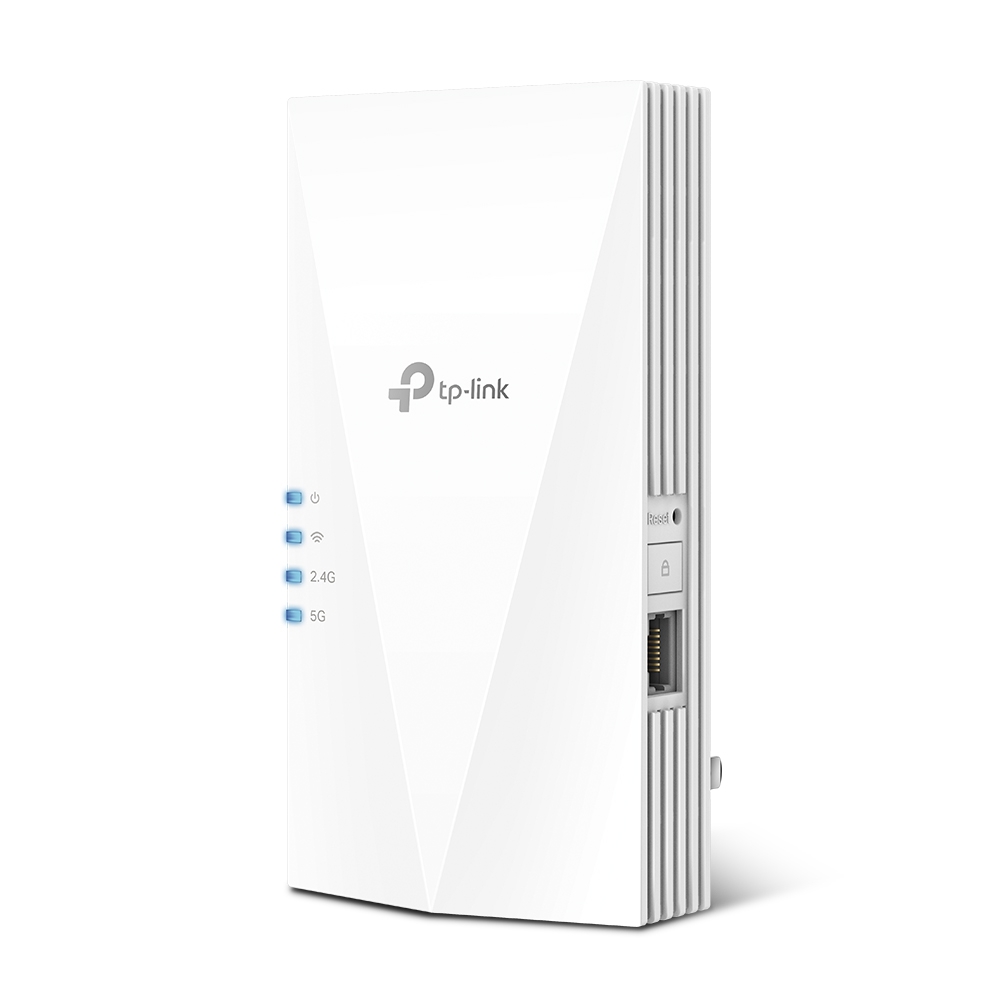
TP-Link AX3000 WiFi 6 Range Extender (RE700X)
Photo: TP-Link

The Setup

A plug-in dual-band Wi-Fi 6 range extender (the RE700X) with a Gigabit Ethernet port, OFDMA, beamforming, and OneMesh compatibility for extending my existing TP-Link router’s network into the one corner of the house that always struggled for signal.

The Review

It solved the dead zone immediately, and setup through the TP-Link Tether app was painless. OneMesh support means devices roam between the router and extender without me thinking about it most of the time. Like any extender it roughly halves throughput on the extended segment, and placement took a bit of trial and error to find the sweet spot.

What I Liked

  • Solid Wi-Fi 6 speed/range boost for the price
  • Easy app-based setup
  • OneMesh gives near-seamless roaming
  • Compact plug-in design

What I Didn’t

  • Roughly halves throughput on the extended segment
  • Placement is finicky — needs a decent signal from the router first
  • Some devices need to manually reconnect when moving between zones

The Verdict

Rating: 4/5

Where to Buy